


Digital literacy is usually taught with present-day tools: passwords, search engines, social networks, spreadsheets or messaging apps. All of this is necessary, pero puede resultar abstracto si no se conecta con una finalidad personal. Los archivos…
Digital literacy is usually taught with present-day tools: passwords, search engines, social networks, spreadsheets or messaging apps. All of this is necessary, pero puede resultar abstracto si no se conecta con una finalidad personal. Files of the future offer a different path: they invite you to create, organize and preserve information so that another person —or our future self— can understand it, use it and protect it.
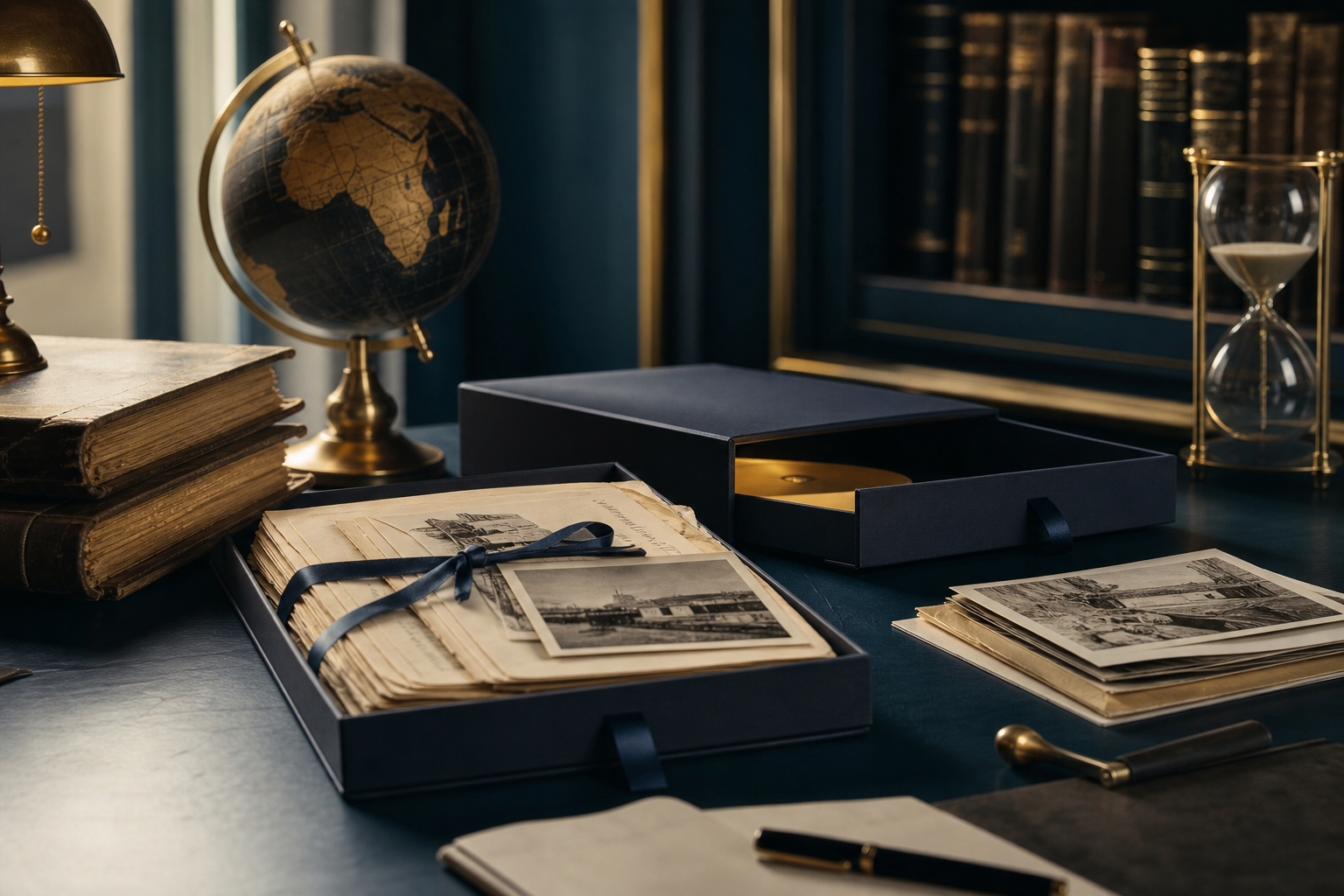
A file of the future does not have to be a spectacular time capsule. It can be a family folder with labeled photographs, a letter for an adult daughter, a set of documents about a house, an album of audio with memories or a record of important decisions. Its educational value lies in that it forces you to think about the recipient, about duration, about privacy and about technological changes.
Teaching digital literacy through files of the future consists of learning to use technology wisely, no solo a pulsar botones. The students, las familias o los grupos intergeneracionales descubren que cada archivo tiene un origen, un contexto, unos permisos y una vida útil. También aprenden que conservar no significa guardarlo todo, sino seleccionar lo que merece permanecer y hacerlo comprensible.
Este enfoque sirve en casa, en bibliotecas, en centros educativos, en asociaciones y en talleres para personas adultas. No exige equipos sofisticados: basta con dispositivos habituales, tiempo para conversar y unas normas claras. La actividad puede adaptarse a distintas edades, capacidades y niveles de experiencia digital.
A file of the future is a deliberate collection of content prepared to be consulted later. It can include texts, imagery, Videos, audios, scanned documents, mapas, recipes, Messages, contact lists or instructions. The difference with a file accumulation is the intention: each item is kept because someone has decided that it may be useful, meaningful or necessary at another time.
The expression allows working with two ideas at once. On one hand, personal future: what I will want to remember, retrieve or explain in five,, ten or thirty years. On the other hand, shared future: what information another person will need if I cannot answer questions, if a tool changes or if the device where I stored the files disappears.
A well-prepared file reduces dependence on memory, on a single application and on a single person who 'knows where everything is'. That reduction of dependence is a key lesson in digital literacy. Whoever learns to categorize a photograph can also learn to locate a contract. Whoever understands why it is useful to describe an audio will better understand the importance of correctly naming a work folder.
Instead of starting with a technical explanation, it is better to pose concrete questions: What would you want someone to find about you in twenty years?, Could someone understand a photo without you explaining it?, What would happen if you lose your phone?, Who should be able to read this document?, What information would you never include in a shared folder?
These questions turn technology into a conversation about responsibility. In addition, permiten detectar creencias frecuentes: que la nube equivale automáticamente a conservación permanente, que borrar un archivo lo elimina de todas partes o que compartir con familiares no entraña riesgos. La alfabetización digital mejora cuando las personas pueden revisar esas ideas en un caso cercano y no solo en una advertencia genérica.
Un proyecto de archivo del futuro puede reunir competencias muy diversas. La persona participante aprende a crear contenidos, pero también a evaluarlos, organizarlos, compartirlos y protegerlos. El objetivo no es terminar con una carpeta perfecta, sino desarrollar hábitos que se puedan trasladar a otras situaciones digitales.
Entre los aprendizajes más valiosos están la identificación de fuentes, la gestión de archivos, la comprensión de permisos, la prevención de pérdidas y la comunicación clara. También se ejercita la capacidad de decidir qué no se conserva. Esta última destreza es especialmente importante en un entorno donde hacer copias resulta fácil y donde la información personal puede circular con rapidez.
Digital literacy includes knowing how to decide which data deserves special protection and which can be shared with reasonable safety. For example, A family recipe can circulate in a private group if all the people involved agree; A photograph of a minor, A medical report or a copy of an identity document requires much more careful consideration.
Before opening folders or scanning papers, It is useful to define the purpose of the file. A project that is too broad usually ends up abandoned. Instead, A well-defined mission makes selection easier: 'Create a commented album about the history of the house', “preparar una carpeta de documentos esenciales para una emergencia” o “grabar cinco conversaciones familiares sobre oficios y recuerdos del barrio”.
También conviene decidir quién será el destinatario. No es igual preparar materiales para uno mismo, para hijos o sobrinos, para un grupo familiar o para una comunidad. El destinatario condiciona el lenguaje, el nivel de detalle, los permisos y el modo de acceso. Si el contenido va dirigido a menores, habrá que simplificar las explicaciones y evitar datos que puedan exponerles. Si está pensado para una persona que no domina la tecnología, la estructura deberá ser especialmente clara.
Una ficha de proyecto puede contener cinco campos: purpose, personas destinatarias, tipos de archivos, nivel de privacidad y fecha de revisión. There is no need to turn it into bureaucracy. The form is used so that decisions are visible and can be discussed.
For example, a family can decide to create a folder titled 'Grandparents' Stories'. Its purpose will be to preserve oral stories; the intended recipients will be the descendants; the contents will include audios, transcriptions and selected photographs; access will be limited to authorized family members; and it will be reviewed once a year. This definition does not guarantee that the archive will last forever, but it prevents it from becoming a disorganized collection without responsible parties.
Every future archive needs to answer, At a minimum, three questions: why it exists, who can access it and who will be in charge of reviewing it.
One of the most common mistakes is confusing quantity with value. Thousands of repeated images, Screenshots without explanation and duplicated documents can make it difficult to retrieve what is truly important. Selection teaches digital and personal competence: Prioritize.
It can be useful to establish simple criteria. Content deserves to be kept if it helps to understand a story, It confirms important information, It has sentimental value or may be necessary for future management. Instead, It is advisable to review temporary files, duplicates, Blurred images without meaning or documents that are no longer useful.
Selection should be carried out prudently when several people are involved. A seemingly innocent photograph can reveal an address, A license plate, an educational center, a health situation or a family relationship that someone prefers not to share. Listening to the people portrayed, when possible, is part of respectful use of technology.
An effective activity for groups consists of asking each participant to choose only ten items for a personal archive of the future. It can be three photographs, two documents, two audios, a letter, a recipe and a list of significant places. Then they must explain why they chose each one and what information a stranger would need to understand it.
The exercise quickly reveals contextual gaps. A photo called 'IMG_4821' provides little without date, place, or identification of the people. An audio titled 'Conversation' can lose meaning if it is not indicated who is speaking and about what. A scanned document may be illegible or incomplete if its quality is not checked.
Conservar menos archivos, but better described, it is usually more useful than saving everything without order or context.
Organization does not need to be complex, but it should be consistent. Folders should reflect a logic that another person can understand. Some families prefer to organize by years; otras, by topics; many combine both criteria. The important thing is not to change the system every week and to avoid ambiguous names like 'various', 'new', 'things' or 'pending'.
A simple scheme could start with main folders like 'Important Documents', “Fotografías”, “Audios y vídeos”, “Historias familiares” y “Administración del archivo”. Dentro de cada una, se pueden crear subcarpetas por año o proyecto. La carpeta de administración puede incluir una nota que explique la estructura, los permisos y la fecha de la última revisión.
Los nombres de archivo conviene que incluyan información útil. Una fórmula habitual es fecha, asunto y versión. For example: “2024-05-18_Entrevista-a-Ana_recuerdos-del-barrio_audio”. No todos los archivos requieren una fecha exacta; si se desconoce, puede indicarse “aprox-1980” o “sin-fecha”. La honestidad sobre la incertidumbre es preferible a inventar un dato.
Un nombre de archivo debe permitir reconocer su contenido sin necesidad de abrirlo. This rule seems small, but it prevents waste of time and reduces the risk of confusing versions. In relevant documents, 'draft', 'reviewed' or 'final' can be added while the process is active. Once the task is closed, it is recommended to archive the version considered definitive and explain, if necessary, why it is.
Metadata is data about data: information that describes a file. Some can be generated automatically, such as the creation date of a photograph, but it is not always correct or sufficient. Manual descriptions provide what a machine does not know: who appears, what was happening, who took the image, if there was editing or if there are usage restrictions.
For teaching, just request a brief record for each selected item: title, date or period, autoría, descripción, related people and level of access. This practice helps distinguish between known facts, approximate memories and personal opinions. If someone writes 'it was probably in 1978', that caution is valuable and should be preserved.
A family archive can contain a large amount of sensitive information: dates of birth, addresses, financial documents, health stories, conflicts, intimate images or data about minors. Trust among relatives does not eliminate the need to set boundaries. In fact, close relationships can make it more difficult to talk about them.
The teaching should address one essential idea: having access to an archive does not mean you have the right to redistribute it. Una persona puede autorizar que una foto se guarde en una carpeta privada y no querer que se publique en redes sociales, se reenvíe por mensajería o se incorpore a un vídeo público. Conviene diferenciar claramente entre conservar, compartir con un grupo limitado y publicar.
El consentimiento para guardar un contenido no equivale automáticamente al consentimiento para difundirlo. En talleres con menores o personas vulnerables, esta distinción debe explicarse con ejemplos concretos y un lenguaje adecuado a la edad. También es recomendable que la persona responsable del proyecto evite pedir detalles íntimos como condición para participar.
Una clasificación simple puede ayudar a tomar decisiones: “personal”, “familiar restringido”, 'shared family' and 'public'. It is not a legal formula nor does it replace professional advice when necessary, but it works as an educational tool. Before uploading or sending any item, the group can ask itself which category it fits into and what consequences an unforeseen forwarding would have.
The most sensitive content should be kept with additional measures: limited access, strong passwords, minimal information in file names and carefully managed copies. It is not advisable to include passwords, access codes, or especially sensitive data in documents that are widely shared. When information is necessary for family continuity, puede ser preferible explicar dónde se custodia en lugar de copiarla sin control en varias carpetas.
La privacidad se protege mejor cuando se decide antes de compartir, no cuando se intenta retirar información después.
La conservación a largo plazo depende tanto de la organización como de la seguridad. Un archivo puede desaparecer por un borrado accidental, a malfunctioning device, una cuenta comprometida, una sincronización mal entendida o una pérdida física. La actividad educativa debe presentar estos riesgos sin alarmismo y convertirlos en decisiones prácticas.
Una primera medida consiste en identificar dónde está cada copia. Muchas personas creen que un archivo está “en el ordenador” cuando en realidad solo se encuentra en un teléfono, en un servicio de almacenamiento o en una tarjeta de memoria. Dibujar un mapa sencillo de ubicaciones permite comprender la diferencia entre dispositivo, cuenta y copia de seguridad.
Una copia de seguridad solo es útil si puede localizarse y recuperarse cuando hace falta. Therefore, no basta con activar una función automática y olvidarse. Es aconsejable comprobar de vez en cuando que los archivos se abren, que las carpetas esperadas están presentes y que la persona responsable sabe cómo acceder a ellas.
Las contraseñas merecen una sesión específica. No hace falta compartir claves reales para aprender: se puede practicar la creación de frases de paso largas y únicas, explicar el valor de la verificación en dos pasos cuando esté disponible y hablar de los riesgos de reutilizar la misma contraseña. En un archivo familiar, además, hay que pensar qué ocurrirá si la única persona que conoce el acceso deja de poder gestionarlo.
Un plan de continuidad no tiene por qué ser complejo. Puede consistir en una nota privada que indique qué personas de confianza deben conocer la existencia del archivo, qué herramientas se usan, dónde hay copias y qué instrucciones deben seguir. Esta nota no debería contener más datos sensibles de los imprescindibles y debe revisarse cuando cambien las circunstancias.
También conviene hablar de las estafas. Un mensaje que pide “verificar” una cuenta de almacenamiento, A link that pretends to be a shared album or an urgent code request can put valuable files at risk. Teaching to stop, Checking the sender and accessing through usual channels instead of clicking links is a skill applicable to many other digital situations.
Saving a file today does not guarantee being able to open it tomorrow. Devices age, applications change, media deteriorates and some formats fall out of use. It is not possible to eliminate all uncertainty, but it can be reduced through reasonable decisions and periodic reviews.
For content you want to keep for a long time, it is usually wise to avoid relying on a single device or a single platform. Keep more than one copy, en ubicaciones diferentes y bajo control conocido, disminuye el impacto de un fallo aislado. The exact combination will depend on the resources, del nivel de sensibilidad y de las habilidades de cada familia o grupo.
Los formatos también importan. En términos generales, los formatos extendidos y bien documentados suelen ofrecer más posibilidades de apertura futura que los vinculados exclusivamente a una aplicación concreta. However, no hace falta convertir cada sesión educativa en una clase técnica sobre extensiones. Lo importante es que las personas aprendan a preguntarse con qué programa se abre un archivo, si pueden exportarlo y si conservan una versión accesible.
Conservar a largo plazo es un proceso de cuidado continuo, no una acción única de guardar. Por eso resulta útil fijar una fecha anual o semestral para revisar el archivo. Durante esa revisión se pueden eliminar duplicados, comprobar accesos, actualizar descripciones, verificar copias y decidir si algún contenido debe cambiar de nivel de privacidad.
Estas señales no deben utilizarse para culpabilizar. They are an opportunity to transform a fragile file into a more understandable one. In digital literacy, progress usually consists of improving one step at a time: renaming a folder, creating an additional copy, adding a description or talking about permissions with the family.
The method works best when tasks are tailored to the experience of each group. With children, it can focus on recognizing personal information, asking permission before using an image and describing a photo for someone who wasn't there. With teenagers, it allows addressing digital identity, posts, digital footprint and selection criteria. With adults, it can be oriented towards organizing documents, account security and sharing memories.
In intergenerational groups, The archive of the future can become a listening activity. Older people contribute stories and context; Younger people can collaborate in digitization, The organization and explanation of tools. It is important to avoid distributing roles rigidly. An older person can learn to rename files and a younger person can learn that a photograph has a story that does not appear on the screen.
One variant consists of creating a 'future-opening letter'. Each person writes a text to be read in a few years and adds a note about the context: what was happening in their life, what technology they used and what they hoped would change. Then there is a discussion about which data should be omitted to protect personal and others' privacy.
Another useful activity is the 'lost file'. The teacher or facilitator shows a fictitious folder with confusing names, duplicate versions and unclear permissions. The group must reorganize it and justify their decisions. This exercise allows learning without exposing participants' real information.
Evaluation can focus on observable decisions. A person has progressed if they can explain why a file needs context, if they distinguish between sharing and publishing, if they identify a sensitive piece of data or if they can find a previously saved copy. These skills are more relevant than memorizing a specific path within an application.
It is also useful to value reflection. Two participants can make different decisions and both be reasonable if they are well justified. A person may choose not to digitize a private letter; another may scan it and restrict access. The important thing is that they understand the consequences and respect those who appear in the materials.
Mature digital competence is recognized when a person can explain their decisions, sus límites y sus dudas. Admitir que no se sabe quién tiene permiso para ver una carpeta, o que no se conoce el formato de un archivo, es un punto de partida útil. La alfabetización no consiste en aparentar seguridad, sino en saber cómo verificar, pedir ayuda y corregir.
Al cerrar el proyecto, puede utilizarse una breve lista de autoevaluación: ¿puedo localizar mi archivo?, ¿entiendo los nombres de las carpetas?, ¿otra persona podría orientarse?, ¿he eliminado o separado información sensible?, ¿sé dónde hay copias?, ¿he fijado una fecha de revisión? Las respuestas ayudan a convertir una actividad puntual en una práctica mantenida.
Un primer error es confiar en que una herramienta concreta resolverá por sí sola la conservación. Las aplicaciones cambian y las cuentas pueden dejar de utilizarse. La herramienta es importante, pero lo decisivo es la estrategia: backups, organization, revisión y personas responsables.
Otro error es compartir por comodidad. Enviar una carpeta completa a un grupo amplio puede parecer más sencillo que seleccionar contenidos, pero aumenta el riesgo de exposición y pérdida de control. También conviene evitar la tentación de digitalizarlo todo de inmediato. Algunos documentos o recuerdos merecen una conversación previa sobre su sensibilidad y su destino.
Un tercer problema es dejar el archivo sin contexto emocional. Una colección de fechas y documentos puede ser útil, pero los relatos breves explican por qué algo importaba. Añadir una nota de voz, una descripción o una carta puede dar sentido a materiales que, otherwise, resultarían opacos para las generaciones futuras.
La prudencia no exige renunciar a conservar y compartir; exige hacerlo con una finalidad, unos límites y una revisión consciente. Esta idea permite escapar de dos extremos: publicar todo sin pensar o no guardar nada por miedo. Entre ambos existe un espacio amplio para la gestión responsable.
Los archivos del futuro enseñan que la vida digital no termina cuando se cierra una aplicación. Cada fotografía, documento, audio o mensaje puede dejar una huella, requerir protección y necesitar contexto para seguir siendo útil. Trabajar con materiales significativos hace que estas cuestiones dejen de ser teóricas y se conviertan en decisiones reales.
El mejor punto de partida es pequeño: elegir un único conjunto de contenidos, definir para qué se guarda, ordenar los archivos, revisar la privacidad y crear al menos una copia adicional. Después, conviene anotar una fecha de revisión y hablar con las personas implicadas. Ese proceso puede repetirse con calma y ajustarse a los cambios familiares, tecnológicos y personales.
Empieza hoy con una carpeta comprensible, una decisión de privacidad clara y una persona que sepa cómo continuar el cuidado mañana. Así, el archivo del futuro no será solo un depósito de recuerdos: será una herramienta práctica para aprender responsabilidad, proteger la intimidad y transmitir una memoria digital más accesible y duradera.
Log in or create your account without leaving this page.
WordPress administration remains available separately for authorized users.